

The first NDJSON file from a FHIR $export lands on a developer's laptop and the reflex is to open it in a text editor. Ten seconds later the editor locks up because the file is 800 MB. Reading NDJSON without loading the whole file is the specific discipline that keeps bulk-export ingestion tractable — for humans, for pipelines, for support tools. The site's NDJSON export peeker is the human-facing side of that discipline. For the wider setting, more on payer-to-payer transfers has more.
What NDJSON Is In One Sentence
Newline-delimited JSON: each line is one complete JSON value; the file has no outer array wrapper. A FHIR $export writes each resource on its own line.
For the base framing, the NDJSON format and why bulk data uses it is the entry.
The Naïve Read Fails
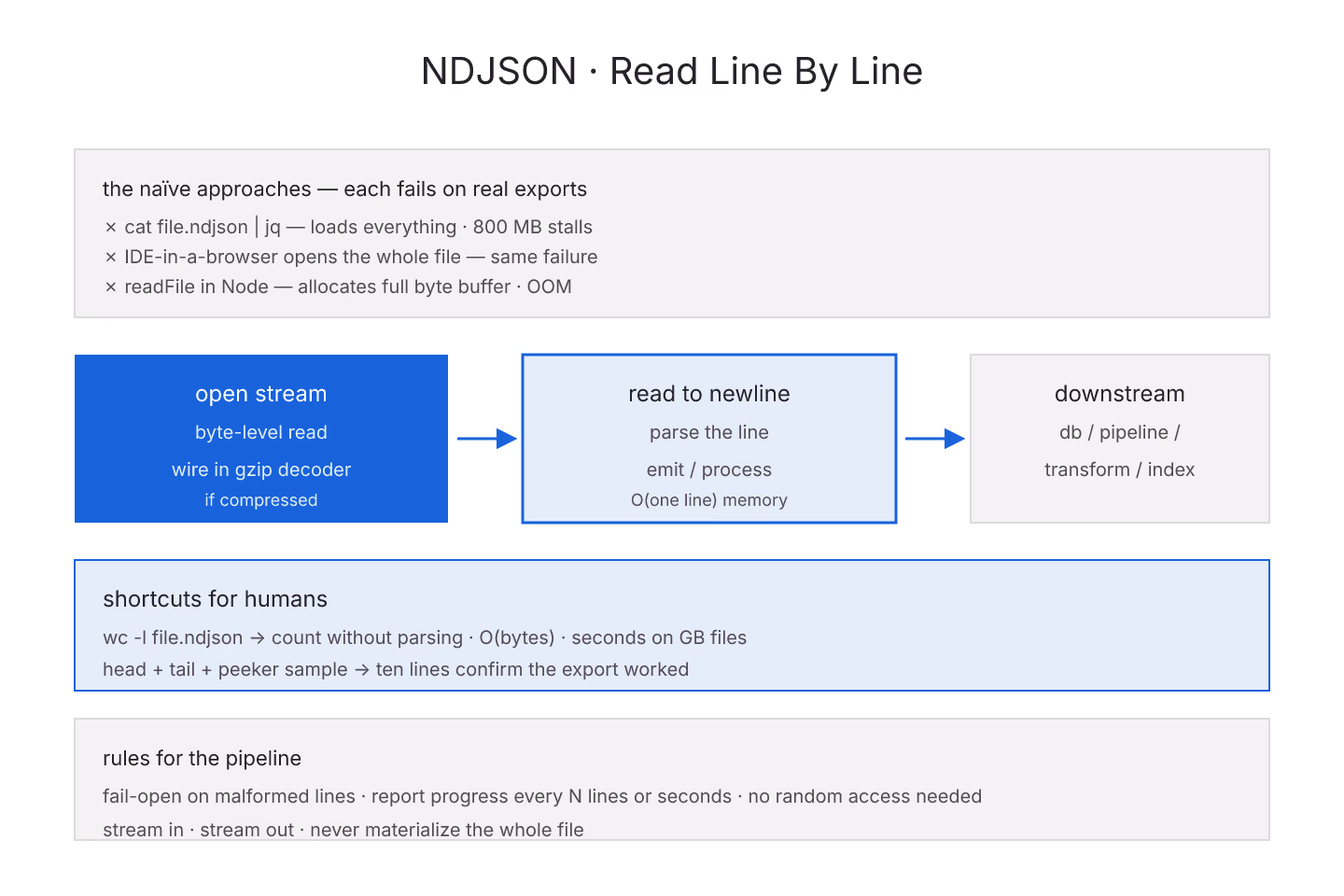
cat file.ndjson | jq— loads and parses everything- IDE-in-a-browser opens the whole file
readFilein Node — allocates the full byte buffer
Each fails or stalls on a large export. That is not a bug in the tools; it is a mismatch between the tool's design and the file's shape.
The Line-By-Line Read
The right pattern:
- Open the file as a stream
- Read up to a newline
- Parse the line as JSON
- Emit or process the parsed object
- Repeat
Memory stays O(one line) instead of O(whole file). Every language has this pattern. Every serious NDJSON tool uses it.
Sampling For Human Review
Humans do not need to see the whole file. Ten lines is usually enough to know the export worked. Twenty is enough to spot obvious problems.
The peeker samples the first N lines by default and can sample N random lines. Both are useful. For the sanity-check side, sampling an NDJSON to sanity-check the export is the entry.
Counting Without Parsing
For a quick "how many resources are in this file" question, you do not need to parse:
wc -l file.ndjson— counts newlines
That is O(bytes) and requires almost no memory. It gives you a count in seconds even on GB-scale files.
Streaming Into A Pipeline
If the pipeline downstream can accept a stream, feed NDJSON in line by line:
- Read one line
- Parse and validate
- Write to database or transform
- Repeat
Never materialize the whole file. For the database side, streaming an NDJSON file into a database is the entry.
Handling Malformed Lines
Real NDJSON files sometimes contain a corrupt line — a partial write, an encoding issue, an extra character.
Options:
- Fail-fast — stop on first bad line, alert
- Fail-open — log the bad line and continue
- Sampling — count bad lines separately, alert on rate
The peeker fails open by default and reports bad lines separately.
The Compression Case
$export can serve NDJSON gzip-compressed. A gz-wrapped stream can still be read line-by-line — just wire the decompressor into the read stream.
For the compression trade-offs, compression choices for NDJSON delivery is the entry.
Random Access Is Painful
NDJSON has no index. Jumping to line 500000 requires reading and counting newlines up to that point. If your workload needs random access, convert to a format with an index (Parquet, ORC) or build a side-car index.
Most bulk workloads do not need random access — sequential processing is enough.
Progress Reporting
Any pipeline that processes NDJSON should emit progress: lines processed, per-second rate, ETA. Silent pipelines on multi-hour jobs look stuck.
Log every N lines or every N seconds. Both work.
The Short Version
Read line by line. Never materialize the whole file. Sample for human review. Count with wc -l. Stream into pipelines. Fail explicitly on malformed lines. Report progress. The peeker is the human tool; production pipelines follow the same rules with different infrastructure.
Sources
- HL7 canonical Bulk Data Access IG defining NDJSON export - HL7 canonical Bulk Data Access IG defining NDJSON export shape